Herd HQ
Your agents at their desks in a little 3D campus, a studio for every project.
Herd HQ shows all your agents at once, as little bots at their desks. Open it with Herd HQ at the top of the sidebar, View → Show Herd HQ or ⇧⌘H, and leave it the same way.
Part of Pro
The campus
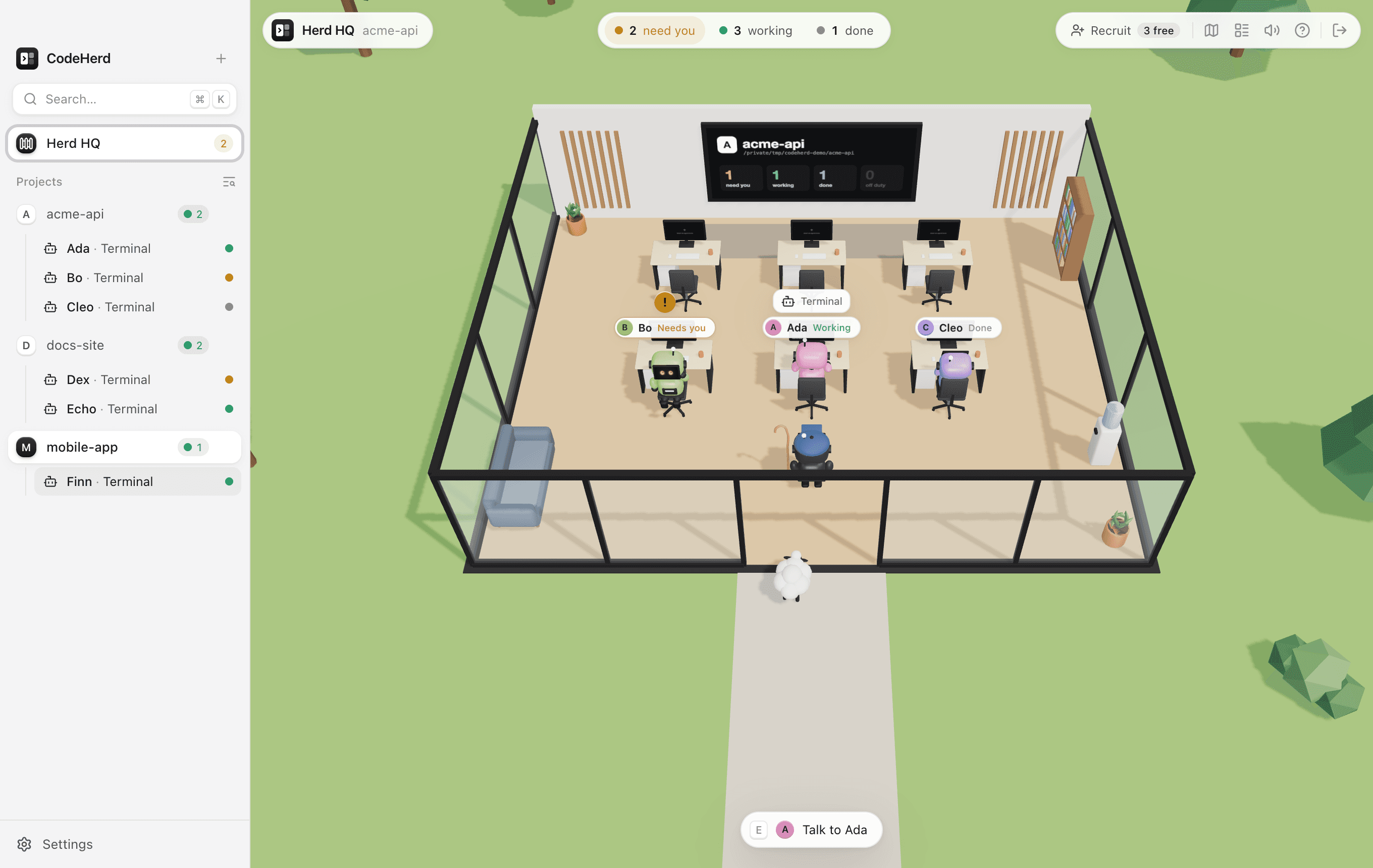
- A studio for every project, in sidebar order, around a yard with the CodeHerd monolith in the middle. The project's name (and logo, if it has one) is over the door, and a board on the back wall counts who needs you, who's working and who's done.
- A desk for every session that's in a pane, with a free desk or two to start more. Agents keep their desk, even while they're out in the yard.
- Every agent is named as in its pane and the sidebar (Ada, Bo, …), in its own colour, with its antenna lit in its provider's colour.
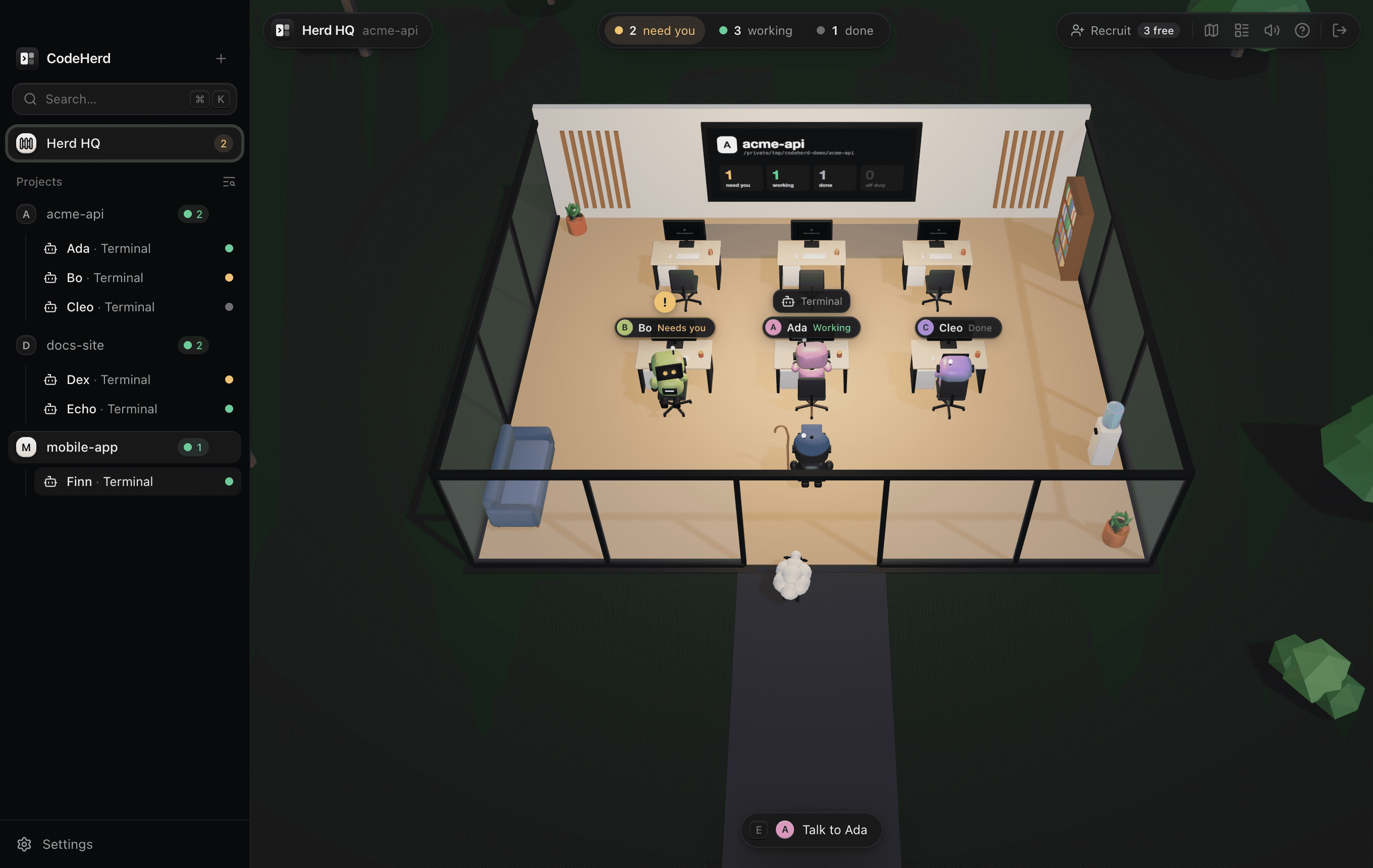
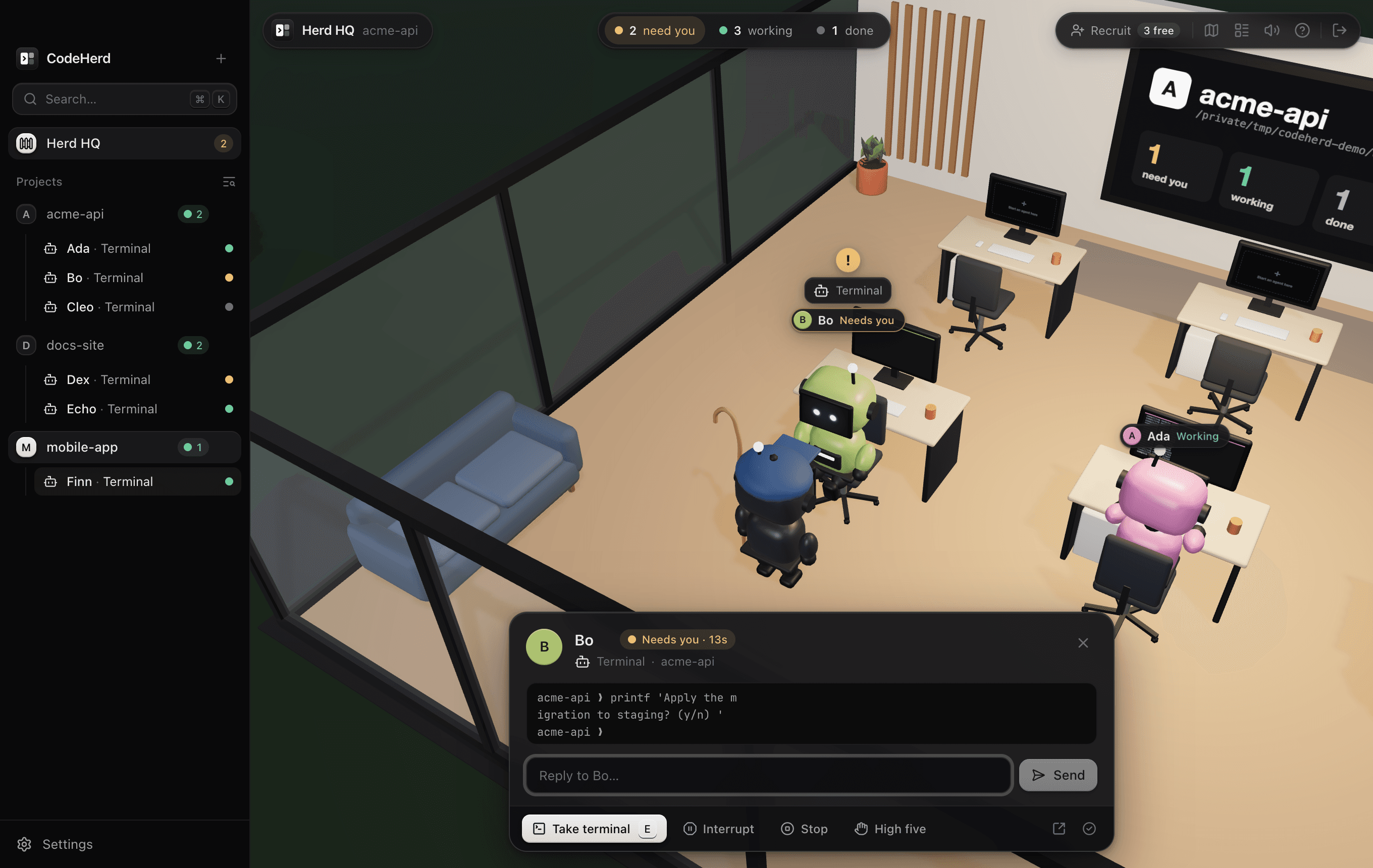
- It follows your appearance: daylight in light mode, a starry night with lit studios in dark mode.
Who needs you
| At the desk | Meaning |
|---|---|
| Typing, monitor busy | Working: it's running and producing output. |
| Turned round, waving, ! overhead | Needs you: it went quiet after output, so it's most likely waiting for an answer. A chime plays when one starts waiting. |
| Leaning back, smiling | Done: it exited cleanly. |
| Slumped, red × | It crashed, failed to start or exited with an error. |
| Out in the yard | Off duty: not running. It leaves its desk (its monitor says it's out) to wander and sit on the benches, and goes back when it starts. |
Up close, an agent's monitor shows the last lines of its real terminal. The tally at the top counts the whole campus; click need you (or press N) to go to the next agent waiting for you. The Board (B) lists every agent, most urgent first, with how long it has been waiting or working.
Talking to an agent
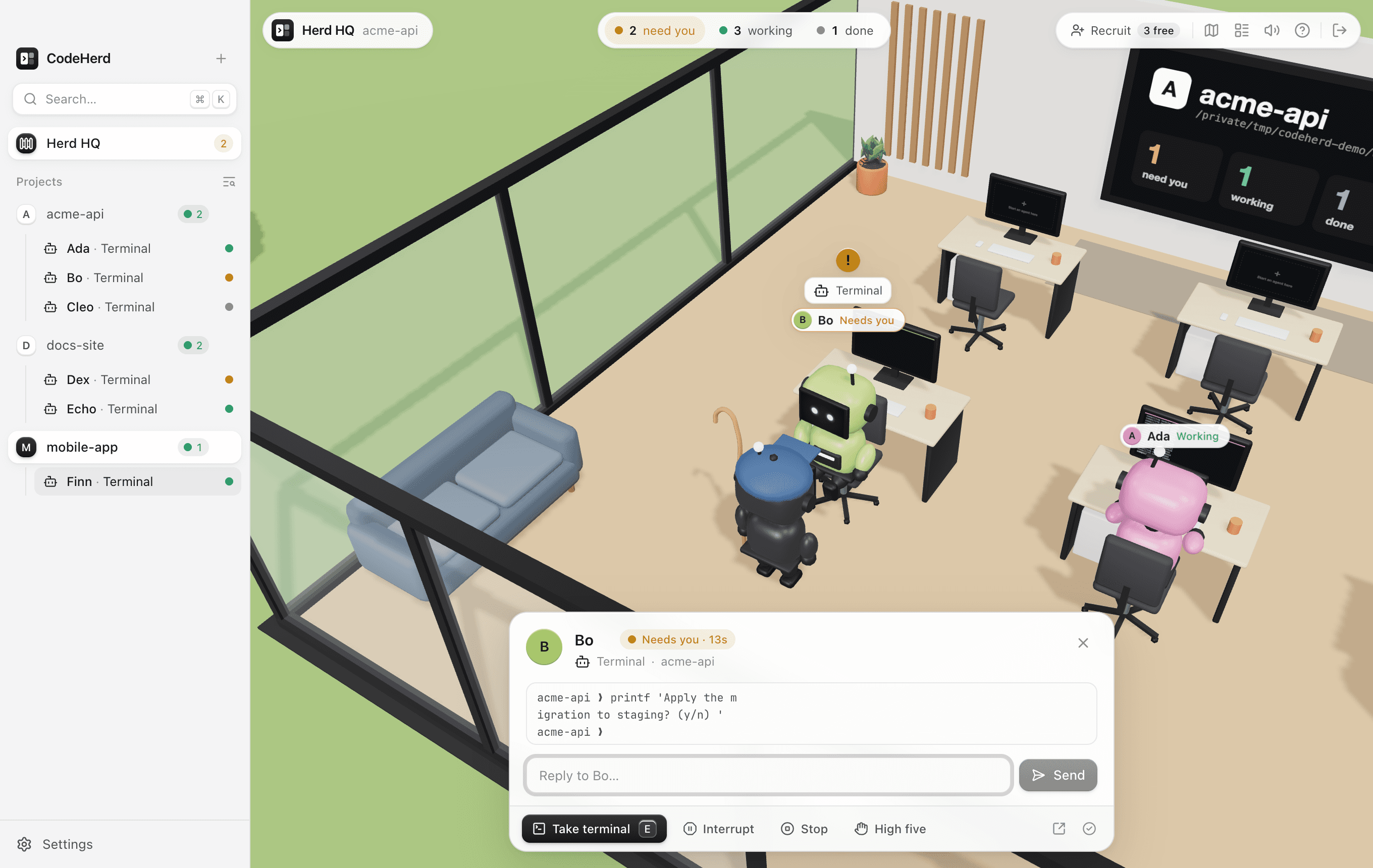
Click an agent (or its name, its desk, its row on the board or its session in the sidebar), or walk up and press E. It stops what it's doing, turns round and waves, and its card opens with what it's working on and the last lines it printed. From there you can:
- Reply or leave a message. To an agent waiting for you it goes in at once. A busy one gets it when it next stops (it waits in the session's queue); ⌘↩ sends it now.
- Interrupt it (Esc in its terminal), Stop it, or Start it again. It walks back to its desk and gets on with it, without you having to open its terminal.
- Take its terminal (E): the camera looks over its shoulder and its live terminal opens over the campus. It's the same terminal as its pane; hold your dictation key to talk to it. ⌘W walks away.
- Rename it (click its name), high-five it, settle it, or Open in workspace.
Walk up to a free desk (its monitor says Start an agent here) and press E, or press ⌘T, to start an agent there. It gets the next name, a pane in that project and that desk, and walks in to sit down.
Free agents
Free agents have no project yet: they wander the yard until you give them one. The first time you open Herd HQ three are waiting; Recruit in the top bar brings more (up to 12). Their names count as taken, so every agent's name stays unique.
Talk to a free agent to send it to a project: pick the project and what it runs (Claude Code, Codex, Gemini, your shell…) and, if you like, a first task. It becomes a session of the same name with a pane in that project, walks over to a desk and starts; the first task is typed in once it's ready. You can also pick a free agent under Who when you start a session anywhere in CodeHerd, or let one go.
Getting around
| Key | Does |
|---|---|
| W A S D or arrows | Walk (hold Shift to run). Click anywhere to walk there. |
| Drag, scroll | Look around, zoom |
| E | Talk to the agent beside you (E again takes its terminal), or start one at a free desk |
| 1 – 9 | Go to a studio |
| O | Overview of the whole campus |
| B, N, M | Board, next agent that needs you, sound on or off |
| ? | All of the above, in the app |
Walking off ends a conversation. The sheep are just sheep (but click one anyway).
Light on your Mac
Herd HQ only draws while it's open and in front. It slows down when nothing moves, nearly stops while CodeHerd is in the background, and drops to a lower resolution on its own if your Mac can't keep up. Its 3D code loads the first time you open it.